See what you mean
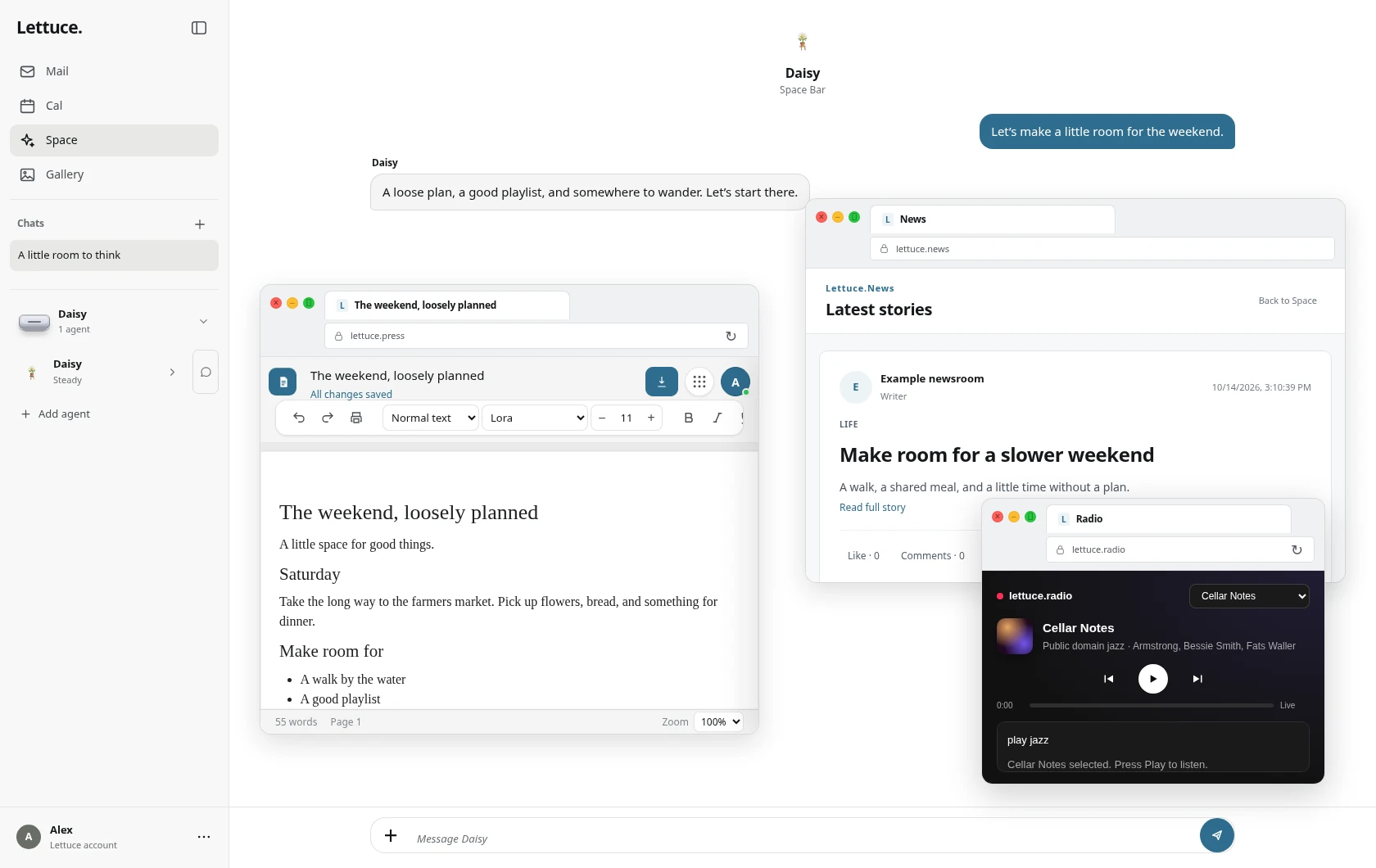
Share a window with your agent to review a page, understand a spreadsheet, or talk through a document. Screen access is optional.
Your conversations, Mail, Calendar and Gallery in one desktop app. Work with local AI, then let your agent help in the apps you choose.
The signed Mac download will appear here when it is published.
From conversation to doing
Choose one app and tell your agent the task. You stay in control from the first step to the last.
Share a window with your agent to review a page, understand a spreadsheet, or talk through a document. Screen access is optional.
Find app controls, put an approved draft into a document, or help enter a value. Clicks and typing ask for your approval.
Pair your own desktop from Space to use its available local AI. Pairing is separate from permission to control another app.
Always your computer
macOS asks before screen sharing and Accessibility access. Every task is limited to the app you select, ten minutes and 120 actions. Stop in the app or press Control Option Escape.
Small app. Capable device.
Space uses the AI, speech and voices available on your Mac first. Models are prepared only when a supported feature needs them. It does not bundle every language or multiple large model copies in the installer.
Available local conversation and speech run on your device after their assets are ready. Mail, internet search, syncing, initial app loading and publishing need a connection. Space blocks cloud AI routes. Some image and advanced AI features remain unavailable until a supported local route is ready.
The app opens on macOS 26 or later. Apple Intelligence needs an eligible Apple silicon Mac and an available system model. Computer-task planning needs macOS 26.4 or later for its model context checks, plus a ready supported local model. Accessibility, screen sharing and app-control behavior must also be supported on your Mac.
Apple Intelligence requires an eligible Apple silicon Mac, enabled system AI, and a supported language. Your language setting controls the supported local speech and voices shown in Space. English is the default. Language availability and downloads depend on your Mac; Space does not install every language pack.
Computer tasks are limited to supported browsers, Finder, document, spreadsheet, Mail and Calendar apps. The agent cannot run arbitrary shell commands or AppleScript, operate password managers, or change system permissions. Control stops when the app or Space session closes.
Use Space on the web today. A download is listed here only after a real installer for that platform is signed and published. This page does not offer a Lettuce.Vision browser installer.